The Flagship Year-Round Workspace

The Year-Round Playbook gives your chapter the fundraising ideas, the campaign plan, and the posts, emails, texts, and graphics to raise money in the months between banquets.

14 fundraising ideas 5 campaign builders Posts, emails, and graphics included
Year-Round Playbook
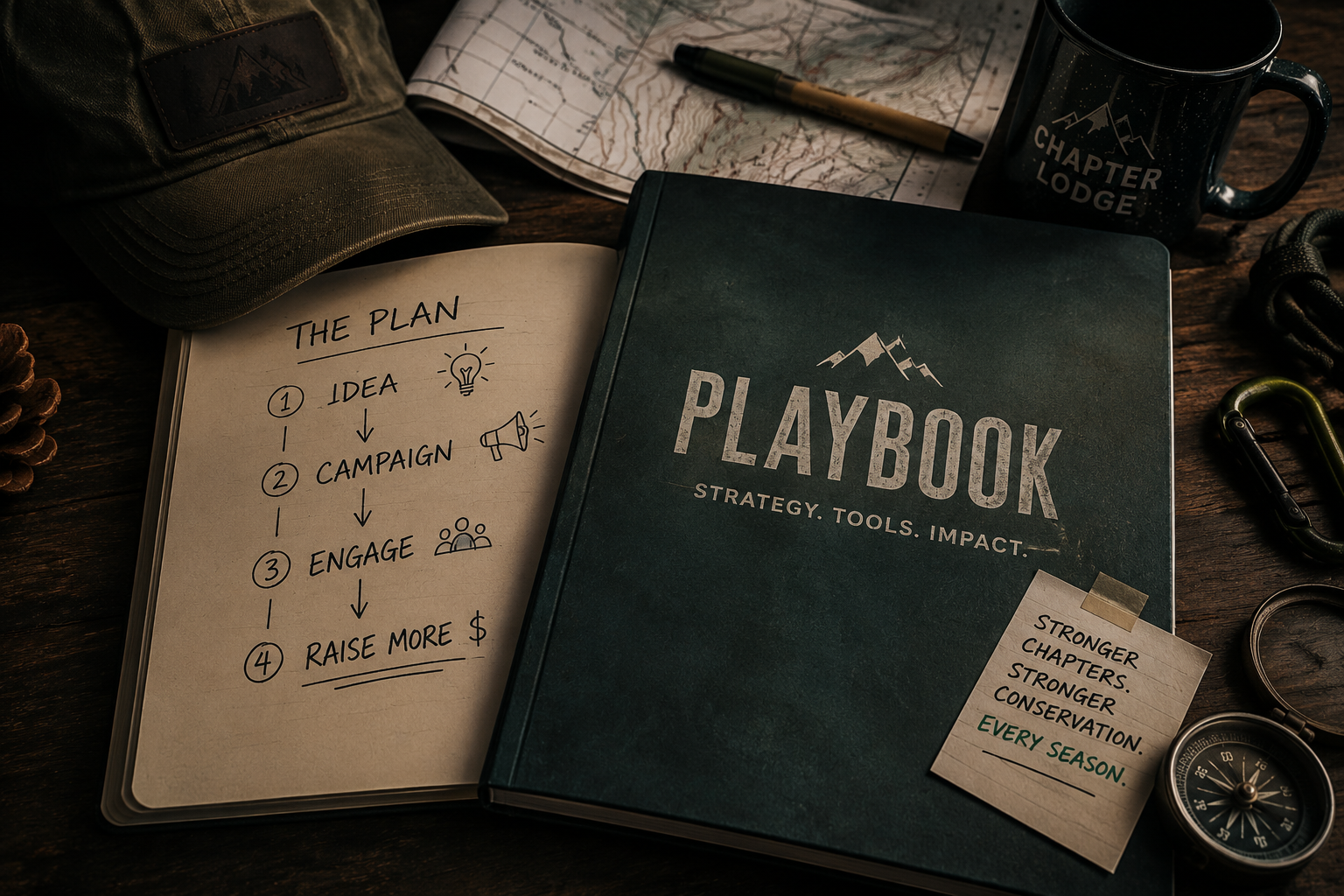
The Chapter Lodge Year-Round Playbook, open to a four-step plan: idea, campaign, engage, raise more

The quiet months are the expensive ones

Most chapters raise well for one night, then go quiet for eleven months.

It is not for lack of ideas. It is that every campaign means starting over — deciding what to run, working out the plan, and writing every post, email, and text from scratch while volunteers wait. So the easy answer becomes doing nothing until banquet season comes back around.

14fundraising ideas, each with revenue, effort, and lead time
5guided campaign builders that write the plan with you
3post phases per campaign: launch, mid-campaign, final push
$0extra per campaign, with no generation limits

Three steps, start to launch

Find the idea. Build the campaign. Promote it.

The Playbook is built so a volunteer board can go from "we should do something this spring" to a launched campaign without a marketing person in the room.

01

Find the idea

Start with what fits your chapter.

Browse 14 proven fundraising ideas and compare them the way a board actually decides: how much it can raise, how many volunteers it takes, how long it needs, and how hard it is.

  • Estimated revenue and lead time
  • Volunteer count and effort level
  • Filter by category and season
02

Build the campaign

Turn the idea into a real plan.

Pick an idea and the matching builder opens with your choice already filled in. Answer a few plain questions about your chapter, goal, and dates, and the campaign assembles itself.

  • Five guided campaign builders
  • Your idea carries into the builder
  • Plain questions, no jargon
03

Promote it

Leave with the work already done.

Every campaign hands you the launch, mid-campaign, and final push posts, the emails and texts, the volunteer guidance, and a matching graphic. Nothing to write from scratch.

  • Posts for all three campaign phases
  • Emails, texts, and volunteer briefs
  • Matching graphic in Social Frames

Step one

Fourteen ideas your chapter can actually run.

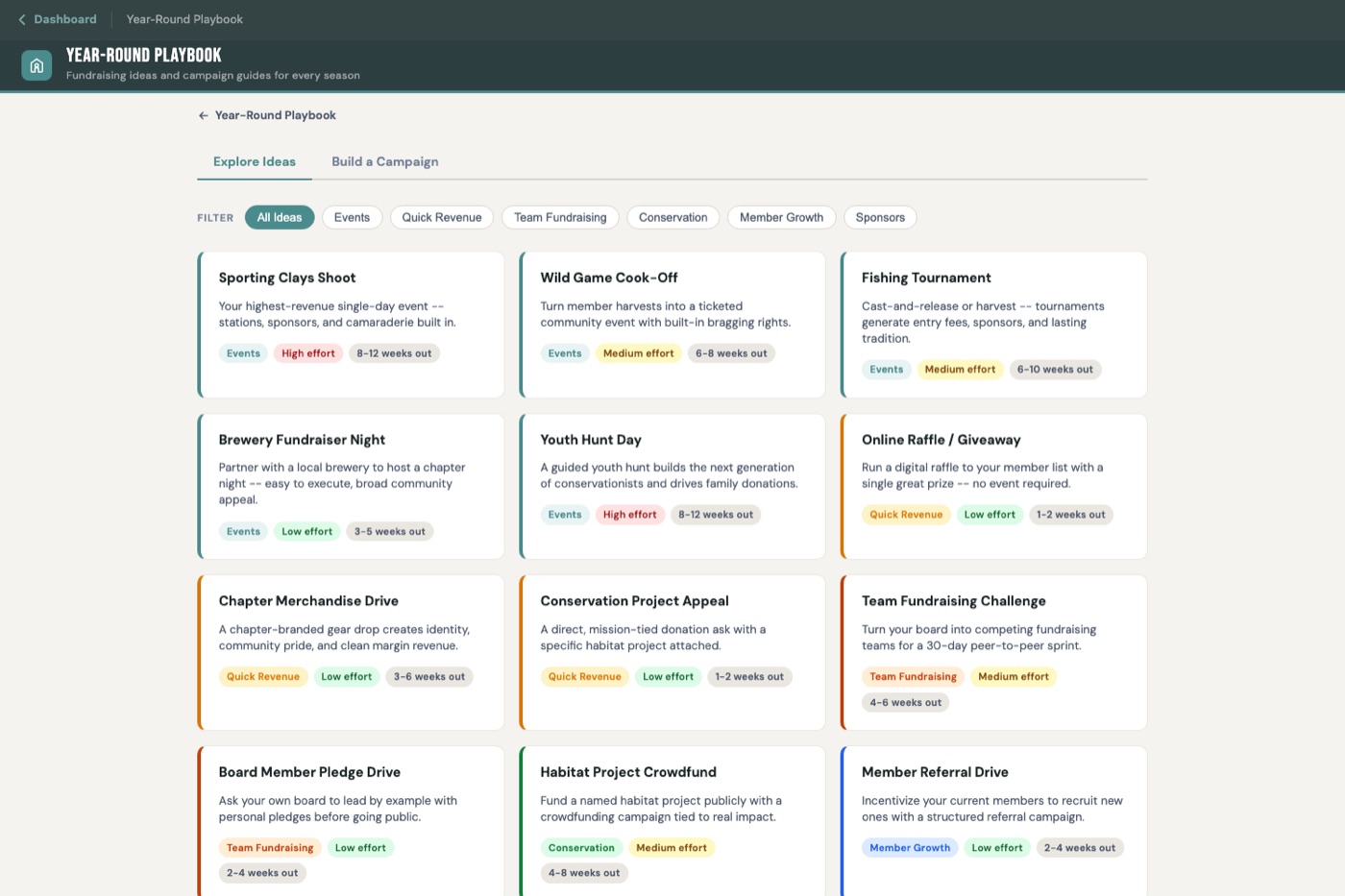
Every idea shows what it can raise, how many volunteers it needs, how much lead time to allow, and how hard it is — so the board can choose on evidence instead of whoever spoke loudest.

The Year-Round Playbook idea library, showing fundraising ideas filtered by category with effort level and lead time on each card

In the library: Sporting Clays Shoot · Wild Game Cook-Off · Fishing Tournament · Brewery Fundraiser Night · Youth Hunt Day · New Member Welcome Event · Online Raffle / Giveaway · Team Fundraising Challenge · Board Member Pledge Drive · Chapter Merchandise Drive · Conservation Project Appeal · Habitat Project Crowdfund · Member Referral Drive · Off-Season Sponsor Outreach

Step two

Five builders that write the campaign with you.

Choose an idea and the right builder opens with your choice already filled in. You answer plain questions; it produces the plan.

Event Campaign Builder

For any chapter event — clays shoot, cook-off, tournament, brewery night, youth day, or a welcome event.

Team Fundraising Challenge

Split the chapter into competing teams so members raise from their own networks, not just your existing donor list.

Conservation Project Appeal

A targeted donation appeal tied to one named habitat or conservation project people can picture.

Raffle Campaign Builder

Price the raffle, plan the push, and run the online sale from launch through the final hours.

Membership Drive

Grow the roster with a referral push and a clear ask your current members can forward.

Step three

You leave with the campaign already written.

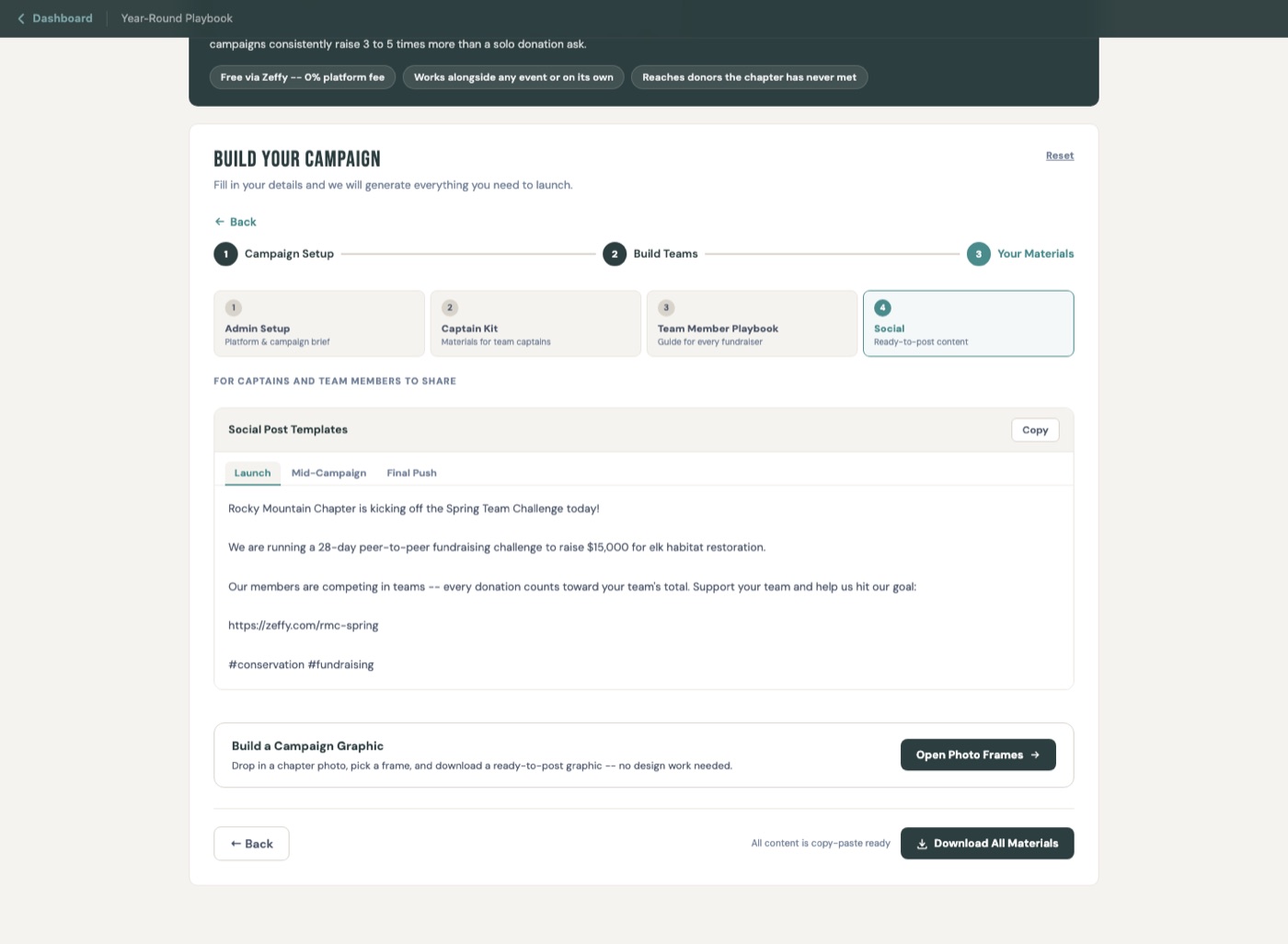
This is the part that usually stalls a chapter. Every builder finishes by handing you the materials with your chapter name, goal, dates, and donation link already in them.

A finished Team Fundraising Challenge campaign showing the launch, mid-campaign, and final push social post tabs with the chapter name, goal, and donation link already filled in

Launch post

Announces the campaign with your chapter name, goal, dates, and donation link already in place.

Mid-campaign post

Keeps momentum going when attention drops and there is still time to give.

Final push post

The last-48-hours ask that closes the gap.

Emails and texts

Ready to send to members, teams, and captains without rewriting the message each time.

Volunteer guidance

What to ask team captains and volunteers to do, written so you can forward it as-is.

A matching graphic

Social Frames opens with the right frame already selected for the campaign you built.

No waiting, no limits

Every campaign material is instant and unmetered.

The Playbook builds your posts, emails, and texts from the campaign details you entered. Your board can rework a campaign as many times as it takes to get it right.

Nothing to wait forMaterials appear the moment you finish the form.
Nothing to rationNo credits, no generation caps, no per-use billing.
Nothing to redoChange a date or a goal and everything updates with it.

Included with the Playbook

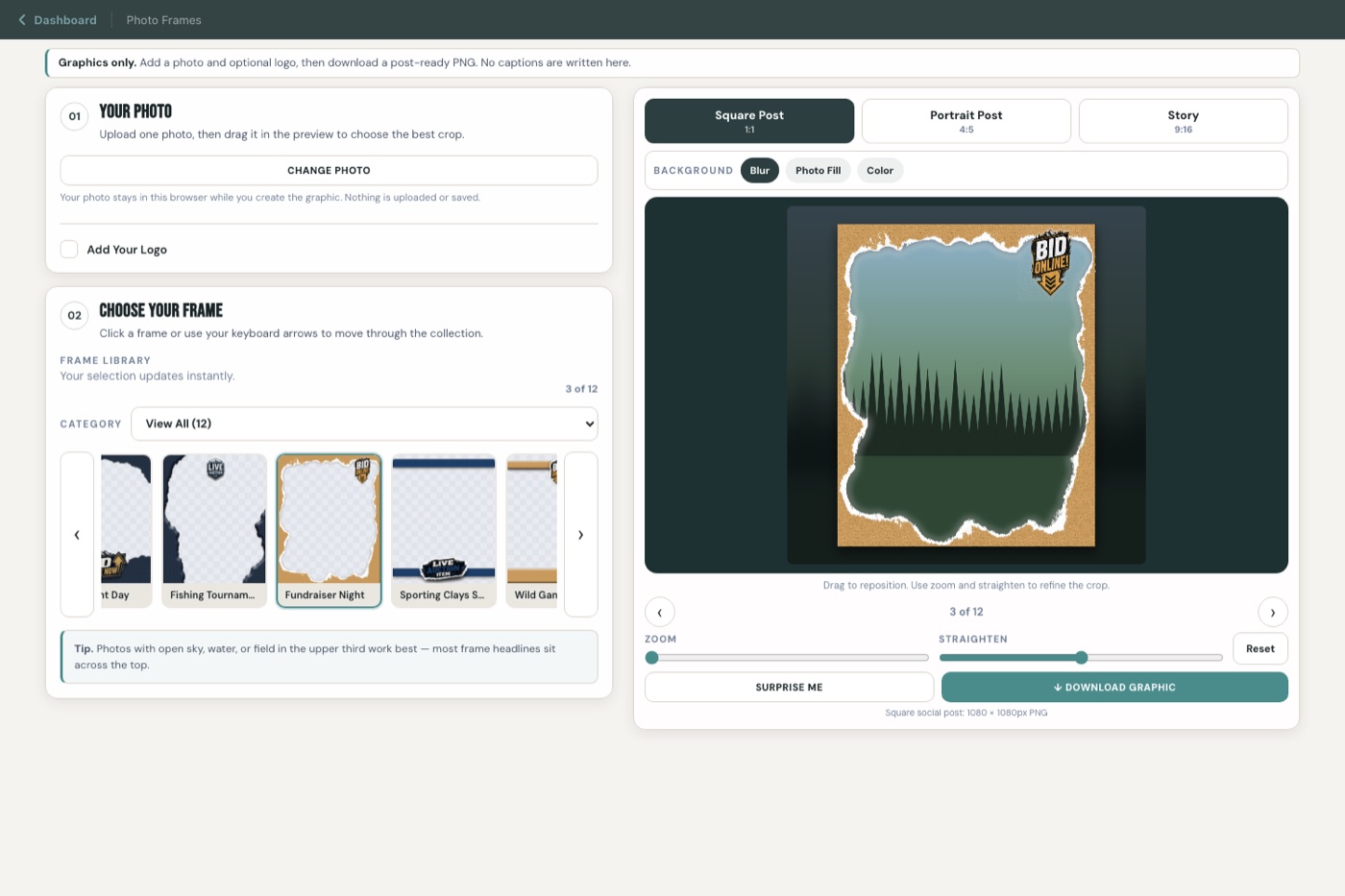
Social Frames turns a chapter photo into a finished post.

Build a campaign and the matching frame is already selected. Or skip all of it — Social Frames is one click from the Playbook home screen when you just have a good photo from Saturday and want it to look right.

  • Three sizes — square post, portrait post, and full-screen story
  • Your logo — drop it in, size it, snap it to a corner or place it anywhere
  • Post-ready PNG — sized correctly for each format, no cropping afterward
The Social Frames studio with a chapter photo loaded, a frame applied, and controls for output format, background, zoom, and download

The Playbook is one of three

Get the Year-Round Playbook inside Chapter Lodge.

Membership gives your chapter the complete Playbook plus the Banquet Command Center, the Grant Proposal Builder, Social Frames, Post Writer, and every improvement added to the Lodge.

  • All 14 fundraising ideas and 5 campaign builders
  • Posts, emails, texts, and volunteer guidance for every campaign
  • Social Frames for chapter graphics all year
  • Two seats included: owner plus one invited teammate
Chapter Lodge Membership One membership.
The whole Lodge.

Raise money between banquets, then run the banquet from the same account.

Start Free Trial No technical setup required.

Questions from chapter leaders

What your board may want to know.

The banquet is one night. The Playbook covers the other eleven months — the fundraising, campaigns, and outreach a chapter runs between banquets. It gives you the idea, the plan, and the materials to launch it.

No. Every campaign builder produces the posts, emails, texts, and volunteer guidance for you, with your chapter name, goal, dates, and donation link already filled in. You can edit anything, but you never start from a blank page.

Most boards get through a builder in a single sitting. You answer a short set of plain questions about your chapter, your goal, and your dates, and the plan and materials come out the other side immediately.

Neither. The posts, emails, and texts are built instantly from your campaign details. There is no waiting, no per-use cost, and no generation limit inside the Playbook.

Every idea in the library routes to the builder that fits it best, and the Event Campaign Builder handles any chapter event including ones not on the list. You can also change any wording the builder produces.

Yes. Social Frames is a one-click door on the Playbook home screen. Drop in a chapter photo, pick a frame, and download a post-ready PNG in about a minute. No campaign setup required.

Yes. A Chapter Lodge membership covers your board, so the person who builds the campaign is not the only one who can open it.

It is included. One Chapter Lodge membership gives you the Year-Round Playbook, the Banquet Command Center, the Grant Proposal Builder, Social Frames, and Post Writer, plus everything added later.

The next eleven months

Pick one campaign and have it ready this week.

Open the Playbook, choose an idea that fits your chapter, and walk into the next board meeting with the plan and the posts already done.