Who owns the next step?
Give the board a shared task plan so volunteer handoffs do not depend on memory.
Banquet Command Center · Built for local chapter boards
The Banquet Command Center gives your board one clear plan for the work, the revenue, the sponsors, and the night itself. Every volunteer can see what comes next.
See how a banquet plan becomes clear tasks your team can own.
For the chapter carrying the event
When the work lives in one chair’s head, separate spreadsheets, and long message threads, the board can miss the moments that make the night work.
Give the board a shared task plan so volunteer handoffs do not depend on memory.
See tickets, sponsors, fundraisers, and costs together while there is still time to adjust.
Turn ticket pushes, prize reveals, and sponsor spotlights into a steady, recognizable campaign.
Put roles, timing, announcements, and checkout in a run sheet the team can follow.
A chapter can keep doing this from scratch every year. It does not have to.
The board’s starting point
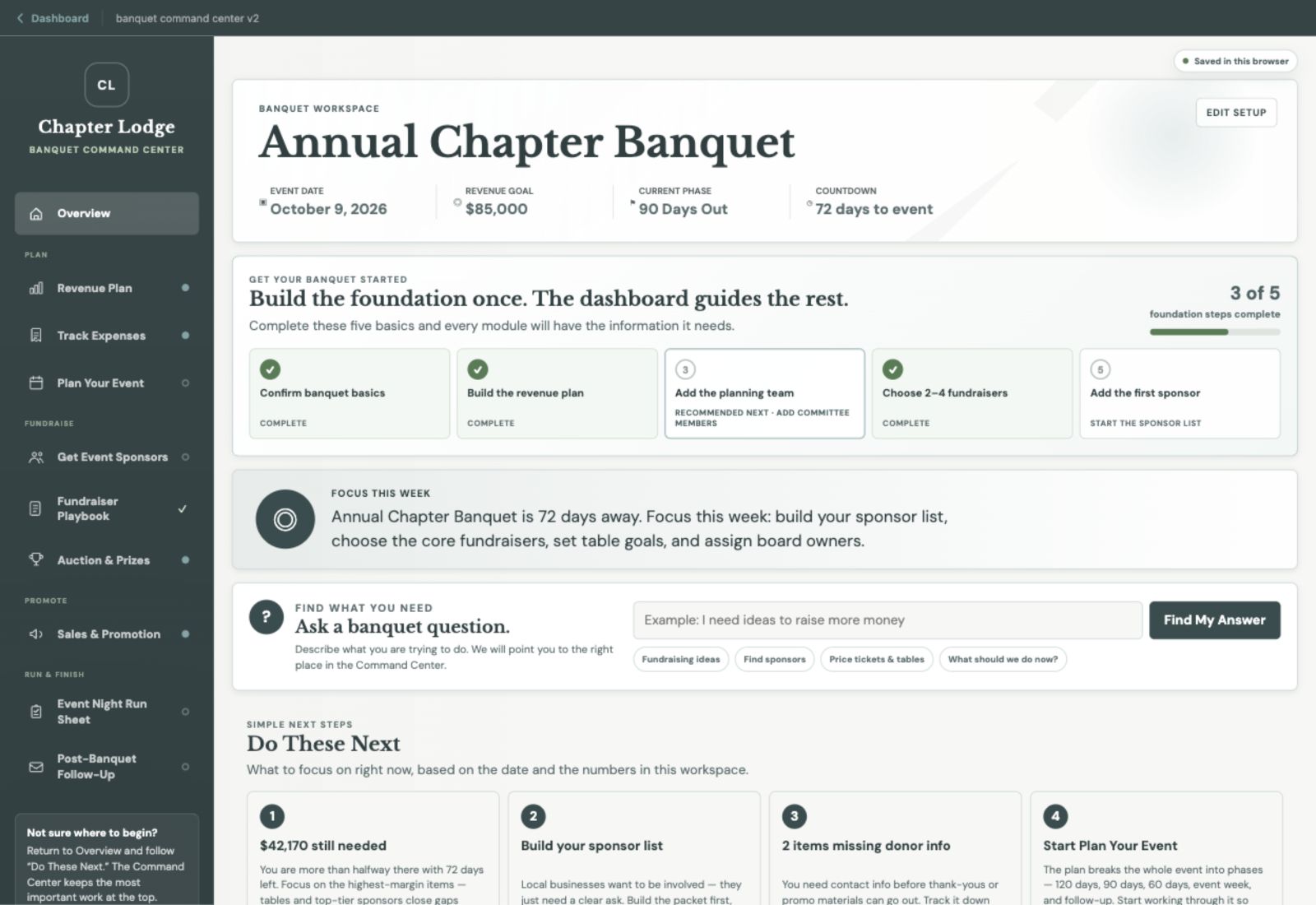
The dashboard brings the banquet into focus: the goal, the current phase, the priorities, and the work that needs attention. Open the next job from there.
Inside the Command Center
Explore the work your chapter can keep together in one connected banquet workspace.
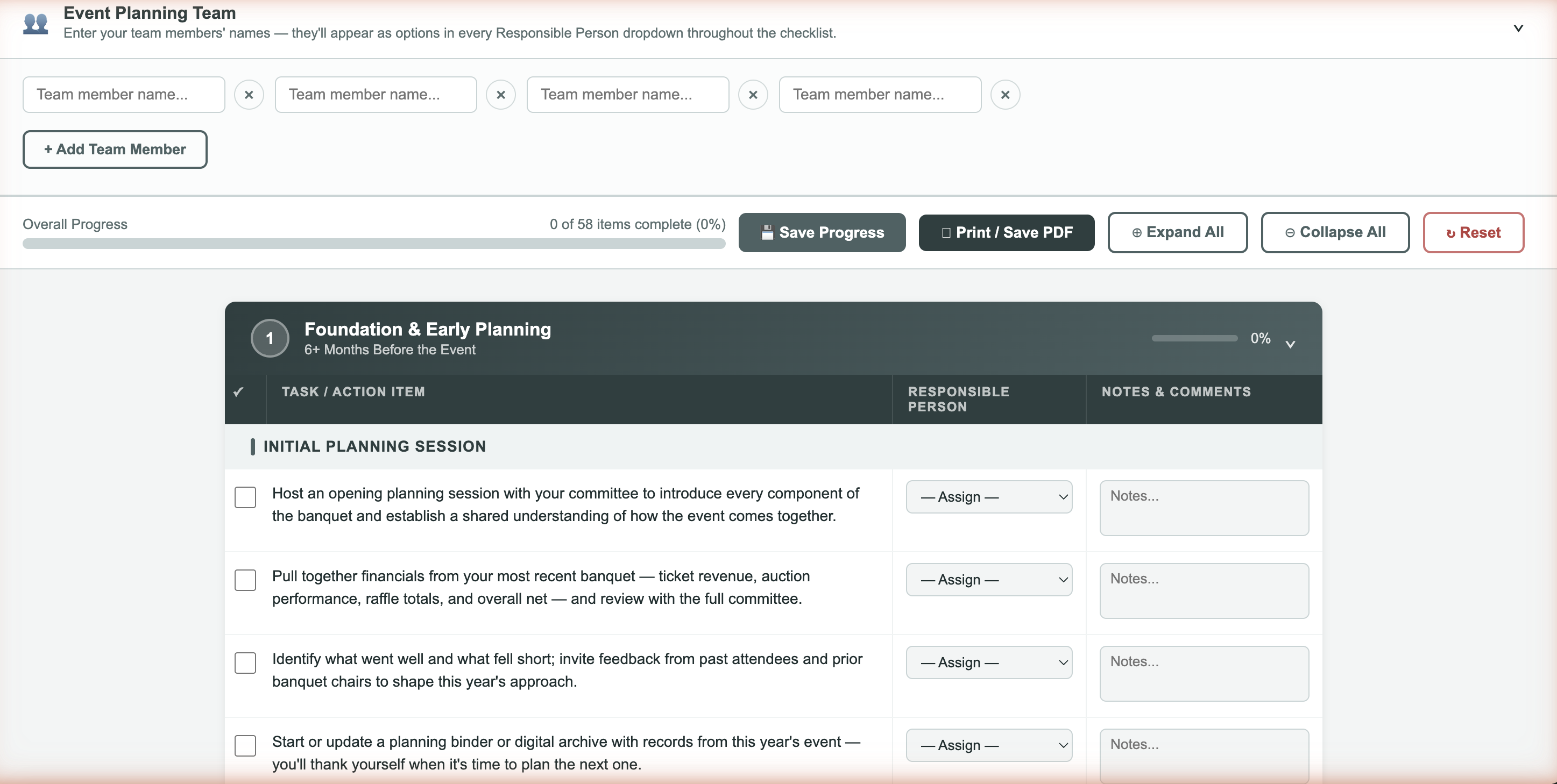
Plan Your Event
Turn the banquet date into a phased task list. Give work an owner, keep notes with the task, and let every volunteer see what needs attention next.
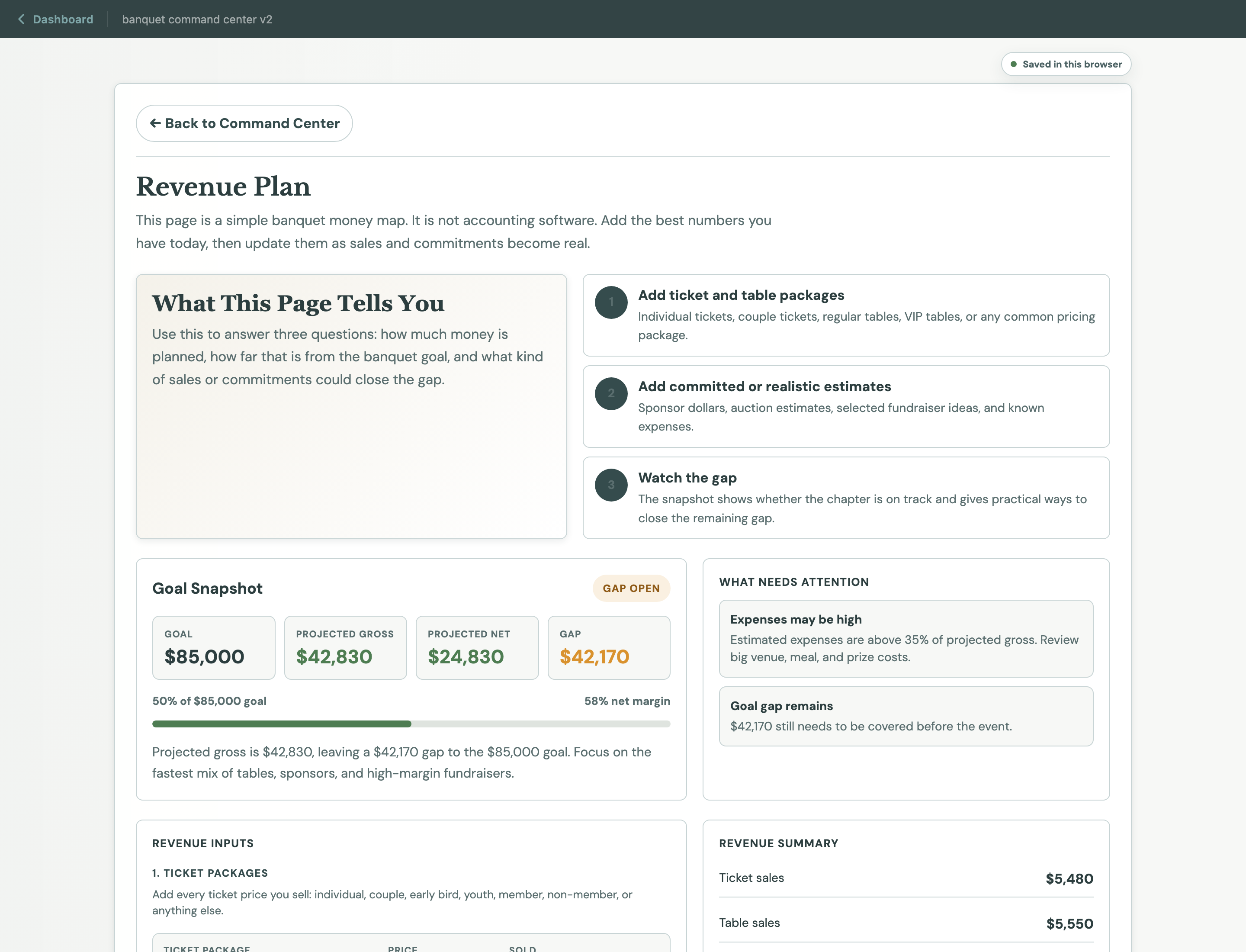
Revenue Plan
Model tickets, tables, sponsors, fundraisers, auction estimates, and expenses together. See what the chapter still needs to raise while there is time to act.
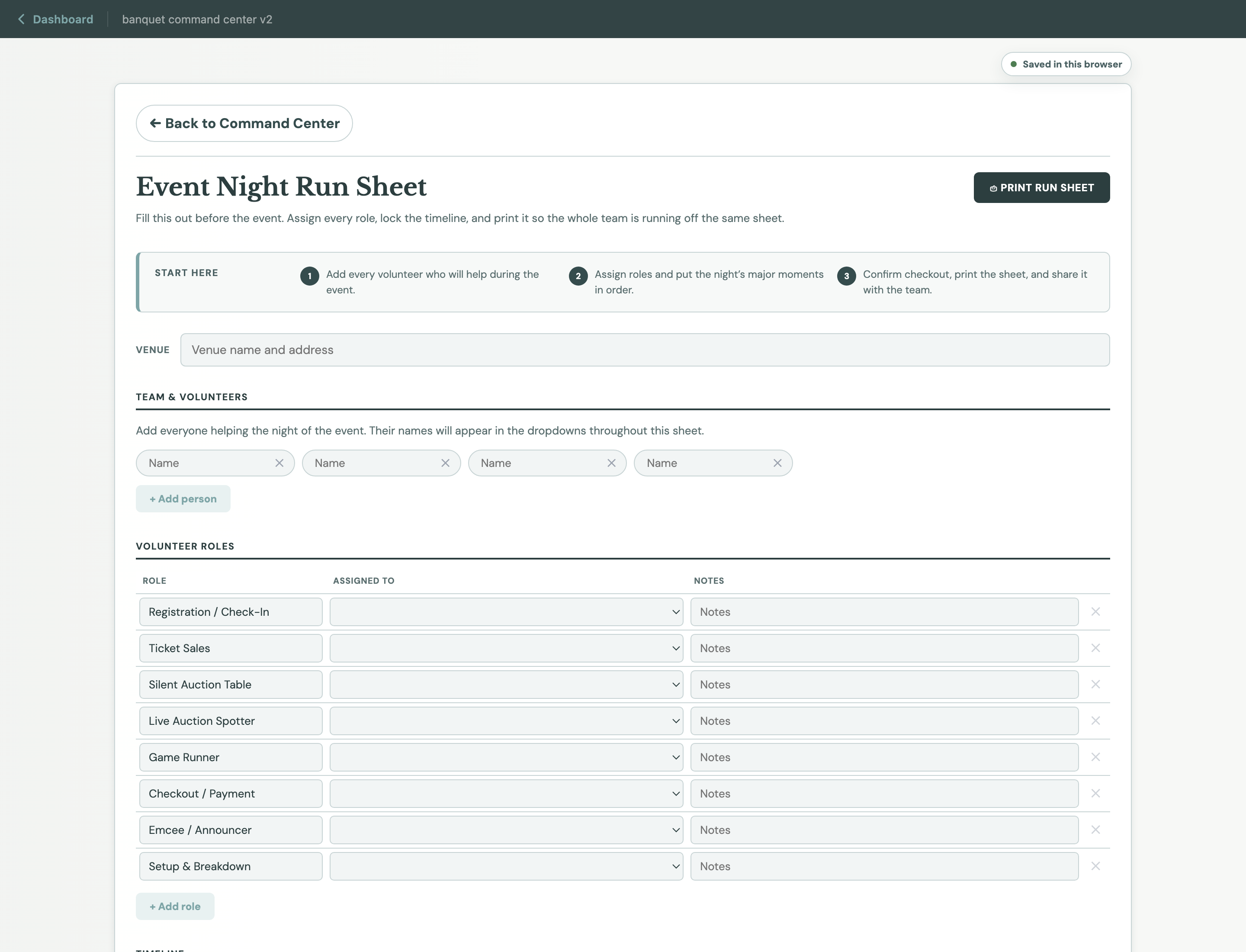
Event Night Run Sheet
Lay out the night before guests arrive. Put the timeline, assignments, announcements, auction moments, and checkout details where the team can find them.
Watch the work happen
These short tours show how the Fundraiser Playbook and Sponsor Plan help a volunteer board find and organize revenue opportunities.
Explore fundraiser ideas and see how a sample night’s plan adds up.
See how to identify local prospects and start a more organized outreach plan.
Make the work repeatable
When the chair changes, the plan should not disappear. Keep revenue assumptions, sponsor follow-ups, volunteer assignments, and lessons learned in the same place so the next team starts ahead.
Join the Early-Access ListWhat your chapter keeps
Get the whole command center
The Banquet Command Center is included with Chapter Lodge membership, alongside the Year-Round Playbook, Social Frames, Post Writer, Grant Proposal Builder, and future improvements.
Questions from chapter leaders
No. Start with the event and goal your chapter actually has. A small volunteer board can keep the plan simple, while a larger chapter can coordinate more packages, sponsors, prizes, and volunteers in the same workspace.
No. The Command Center uses plain language and familiar banquet decisions. Your team enters what it knows, then uses the priorities, plans, and calculations to keep moving.
Yes. Ticket levels, table packages, expenses, and fundraiser numbers are editable. Your chapter can also add custom fundraiser ideas.
Yes. The Sponsor and Donor Plan helps you build a packet, identify local prospects, prepare outreach, and track commitments and follow-ups.
The follow-up area keeps thank-yous, final numbers, a board debrief, photos, and notes for the next banquet together.
Yes. It is a flagship Chapter Lodge workspace. Membership also includes the Year-Round Playbook, Social Frames, Post Writer, Grant Proposal Builder, and future Lodge improvements.
Your next banquet can start differently
Start with the event. Bring the team, the money, and the night into one place.
Sales & Promotion / Social Frames
Give your banquet a look people remember.
The Command Center keeps ticket pushes, prize reveals, sponsor thank-yous, and event-week reminders on the plan. Social Frames gives those messages a finished visual: add a chapter photo, choose a frame, and download a graphic ready to share.
Watch a chapter photo become a finished social graphic in Social Frames.